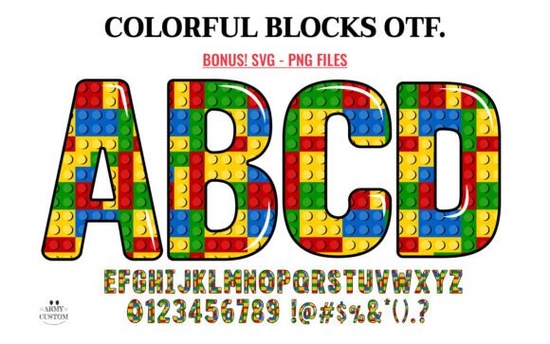
If you're working on a project that calls for cheerful, child-friendly lettering, the Colorful Blocks Font might be just what you need. Designed to mimic the look of classic toy building blocks, this font brings a playful energy to posters, birthday banners, classroom decor, and kids’ party invitations. Each character feels like a tiny piece of a creative puzzle bright, bold, and full of personality.
What makes this font especially useful is its dual format: there’s a solid black version and a multicolored version. The black version works seamlessly with Cricut Design Space and other cutting machines, which is great news for crafters who cut vinyl, cardstock, or heat-transfer materials. On the other hand, the color version shines in design software like Photoshop, Illustrator, Silhouette Studio, and Inkscape but it won’t work directly in Cricut Design Space due to how layered color fonts are built. If you’re new to using these kinds of fonts, Creative Fabrica’s Ultimate Font Guide walks you through the basics without overwhelming you.
Who is this font best for?
The Colorful Blocks Font is ideal if you:
- Create printables for teachers or homeschoolers
- Design kids’ apparel or party supplies for Etsy or Shopify
- Make custom banners, wall decals, or greeting cards
- Need eye-catching typography for social media graphics targeting parents or educators
Because the letters are chunky and clearly defined, they’re easy to read even at smaller sizes perfect for labels, flashcards, or activity sheets. And since you can spell out any word or phrase, it’s far more flexible than pre-made clipart letter sets.
How does it compare to other playful fonts?
If you’ve browsed Creative Fabrica’s colorful fonts collection, you’ve probably seen options like the Preppy Coquette Font or the American Coquette Font. Those lean into trendy aesthetics with delicate swashes and pastel vibes great for fashion or lifestyle brands. The Colorful Blocks Font, by contrast, is all about simplicity, nostalgia, and universal appeal. It doesn’t try to be stylish in a grown-up way; it’s unapologetically fun and kid-focused.
For seasonal or themed projects, you might also consider the Patriotic US Font or the American Flag Font, which incorporate red, white, and blue motifs. But when your goal is pure playfulness without a specific holiday tie-in, Colorful Blocks stands out for its versatility and clean, toy-like charm.
Important compatibility notes
Before you download, double-check how you plan to use the font:
- For cutting machines (Cricut, Silhouette Cameo, etc.): Use the black (non-color) version. It installs like a regular TTF or OTF file and cuts cleanly.
- For digital designs (social posts, printable PDFs, merch mockups): Use the color version in compatible software. In Photoshop, for example, it appears as a single layer with embedded colors no manual coloring needed.
- Avoid trying to upload the color OTF/TTF directly into Cricut Design Space it won’t display the colors correctly and may not load at all.
If you’re unsure whether your software supports multicolor fonts (also called OpenType-SVG fonts), test with a free sample first or refer to your program’s documentation. Most modern design tools do, but older versions may not.
Tips for getting the most out of this font
Once you have it installed, try these ideas:
- Pair it with simple sans-serif fonts for contrast (e.g., use Colorful Blocks for headlines and a clean font like Montserrat for body text).
- Add subtle drop shadows or outlines in design software to make the letters pop even more on busy backgrounds.
- Use uppercase only this font is designed with capital letters in mind, and lowercase isn’t included.
- For physical crafts, cut the black version from colored cardstock to mimic the look of the digital color version without needing special software.
Remember, while the color version looks stunning on screen, always convert text to outlines or paths before sending files to print to avoid font substitution issues.
Before you start your next project:
- Confirm your design software supports multicolor fonts
- Download both the color and black versions from Creative Fabrica
- Test print or cut a small sample to check sizing and legibility
- Review licensing terms if you’re using it for commercial products
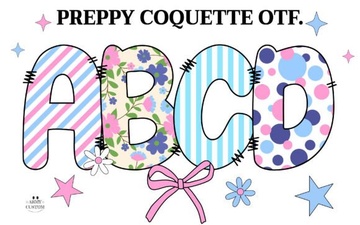 Download Preppy Coquette Fonts for Chic Designs
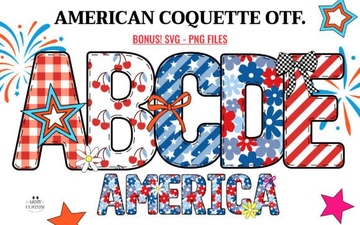 American Coquette Font: Classic Charm for Modern Design
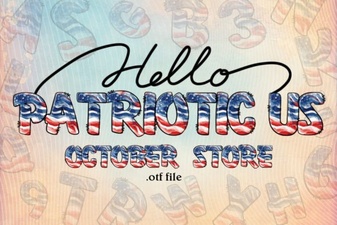 American Fonts for Patriotic Design Projects
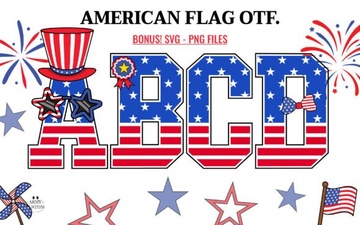 American Flag Fonts for Patriotic Design Projects
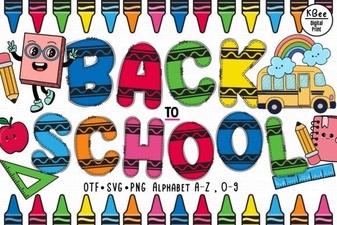 Creative Back-to-School Font Ideas & Projects
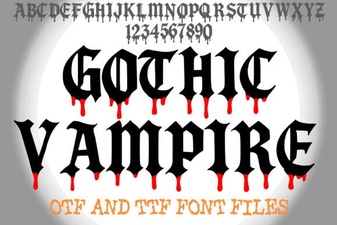 Gothic Font Styles for Dark Theme Design